
A painting app
that stays yours.
Rindraw is an iPad app for comics and illustration. Pay once. Keep your files. Nothing changes unless you say so.
Four promises
Read the reviews of any drawing app and the same complaints come up: losing work, updates that change their brushes, and paying every month to open their own files. Rindraw is built around not doing those things.
Pay once
$12.99, once. No subscription and no account. What you buy keeps working.
Your files are yours
Drawings are files on your iPad, right in the Files app under On My iPad › Rindraw. Copy them, back them up, keep them anywhere.
Nothing changes behind your back
An update never quietly changes how a brush you rely on feels. If something about your tools changes, you decide.
Nothing leaves your iPad
No analytics, no tracking, no sign-in. Rindraw works without an internet connection, because it never needs one.
Built not to lose your work
- Saved as you drawEvery stroke is written down the moment you make it. There's no save button to forget.
- Undo that survives a restartClose the app, reopen it next week, and your undo history is still there.
- A damaged file is never overwrittenIf a file can't be read in full, Rindraw sets a copy aside before touching anything.
- Recently DeletedDeleted drawings wait 30 days before they're gone for good.
Made for comics and illustration
Rindraw keeps every stroke as a stroke, not just pixels, so you can move, bend and restyle your line art without it going soft.
Pages and frames
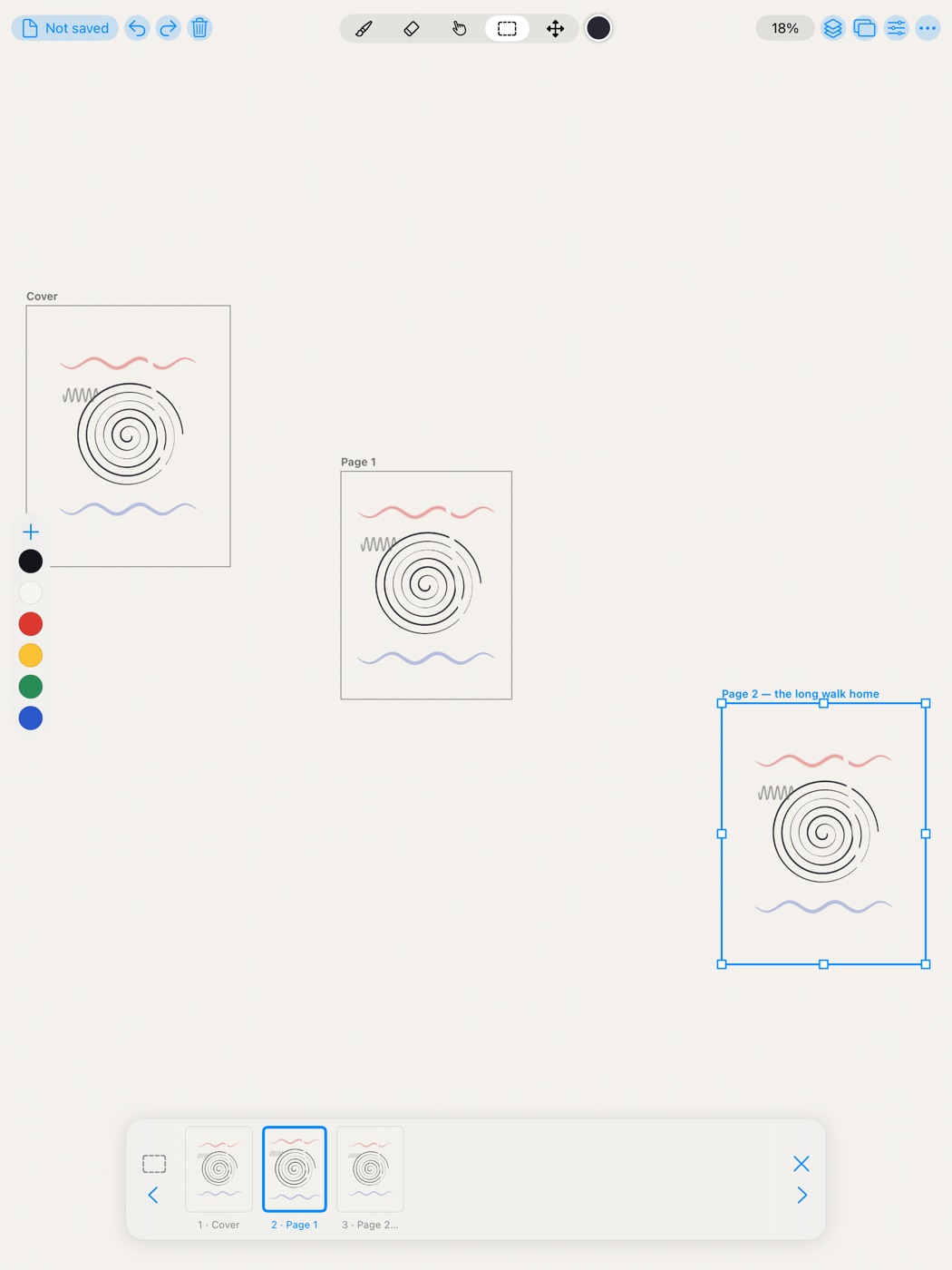
Lay out a whole comic on one canvas, step through pages in a strip, and export them as a PDF.
Fill that flats line art
Drag to set the threshold, close small gaps, fill from a reference layer, and drop colors straight onto shapes.
Transform without blur
Move, rotate, scale, distort and warp a stroke or a layer. Strokes are bent, not resampled.
Layers that stay editable
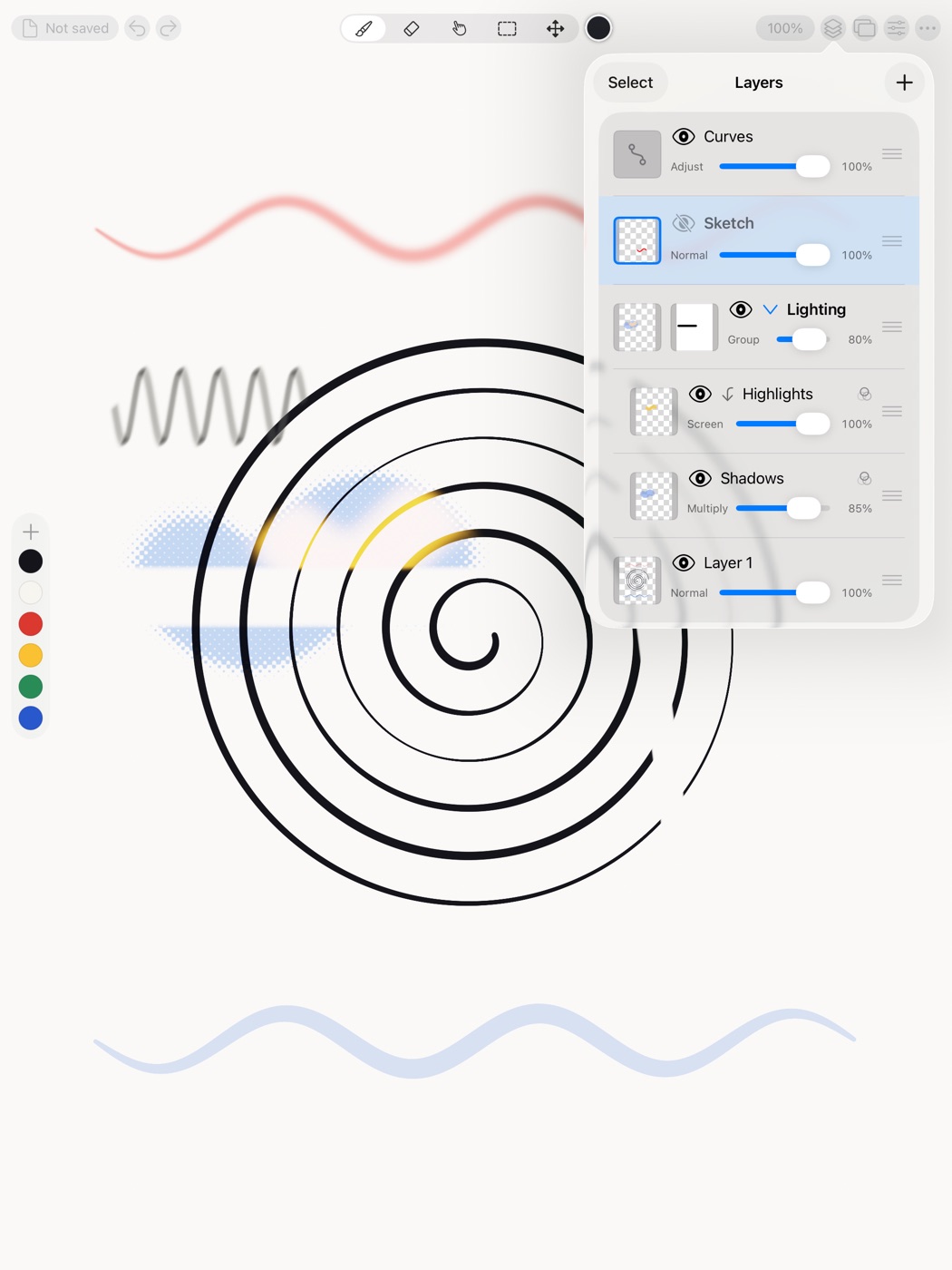
Groups, masks, blend modes, adjustment layers, and live filters including halftone.
Brushes that feel like tools
Ink, graphite, chalk, dry brush and spatter, with a texture engine. Share brushes as files.
Symmetry
Draw once and mirror or rotate it around a guide, with copies that match exactly.
Timelapse
Every drawing remembers how it was made. Watch it back, or export a video at any size.
Quick Menu
Squeeze Apple Pencil Pro or tap with four fingers for a ring of the six actions you choose.
Export the way you need
PNG, JPEG, HEIC and 16-bit TIFF, with wide color in HEIC and TIFF. Double resolution re-renders, it doesn’t upscale.
A comic, not a pile of canvases
Frames sit side by side on one infinite canvas, so a panel on page one can sit beside page two while you work. The page strip takes you between them and keeps their order.
Draw something that stays yours.
Rindraw is made by Sawir Studio, a small independent studio.